
A personal emergency response system (PERS) helps a person request assistance through a connected alert device and an established response arrangement. Traditional monitored PERS services commonly connect users to a staffed response center; some consumer alert devices instead notify family members or caregivers directly. Imagine someone at home, or out walking, pressing a wearable help button. That press begins a process: the equipment attempts to send the request, and the configured recipient must receive it and respond. Who answers and what support is included depend on the arrangement. The device and the response arrangement both matter.
What Is a Personal Emergency Response System?
A PERS brings together three essentials: something the person can activate, a communication connection and an arrangement for someone to respond. Equipment may include a pendant, a wrist-worn button, a home base unit or a mobile medical alert watch. These formats do not necessarily offer the same functions.
Traditional monitored PERS services commonly route requests to a staffed response center specified in the agreement. Its staff follow the service’s procedures for handling the request. Other alert devices may call relatives or send notifications to a phone. A family-notification device does not automatically include a staffed monitoring service.
Terminology varies between providers and public programs. Ask who receives the request and what service is included, rather than relying on “PERS” or “medical alert” on a product label.
People living independently, including older adults, may use these systems to make requesting assistance easier. The relevant need is access to help, so PERS is not restricted to one age group. Choosing equipment starts with the person’s daily routine, abilities and available support.
A useful first conversation is straightforward: where will the person use it, how will they activate it, and who has agreed to answer? Those answers determine whether the proposed arrangement makes sense before individual features enter the discussion.
What Happens After Someone Presses the Help Button?
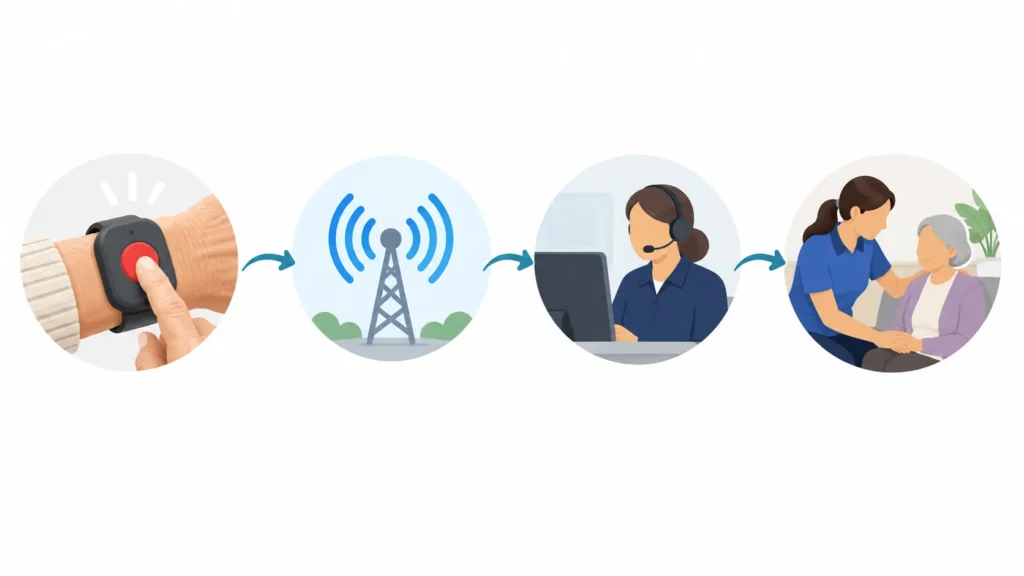
Consider this illustrative example: a person at home feels unsteady and presses their wearable button to ask for assistance. The exact sequence depends on the equipment and service, but a typical monitored arrangement may work as follows:
- The person activates the device. They press the help button, and the equipment begins its supported alert process.
- The equipment attempts a connection. A wearable may communicate through a home base unit or use its own mobile connection.
- The request reaches its configured destination. This might be a monitoring service, care team or family contact. An attempt to send is not confirmation of arrival.
- Someone receives and acknowledges the request. Technical delivery alone does not establish that a person has seen it or accepted responsibility.
- Contact is attempted where supported. With suitable voice equipment, the recipient may speak with the wearer. Other arrangements may use a callback or another agreed contact method.
- The responsible recipient follows the response plan. The next action depends on the circumstances and service agreement; it might involve a local contact or emergency services when appropriate.
Ask what feedback the wearer receives during that process. A light, sound or screen message may indicate activation or connection, but its meaning depends on the device. The person should know what the supported confirmation means.
Some systems offer automatic fall detection. It is optional, and it cannot identify every fall. Where a person is able to press the help button, they should follow the service’s instructions rather than assume automatic detection has already raised a request.
A request for help is not a promise that an ambulance has been dispatched. Response hours, call handling and available actions belong to the particular service agreement. Families should understand those arrangements before relying on them.
How Does a Mobile PERS Differ From an In-Home System?
An in-home system generally connects the wearable button to a base unit or home communication setup. Its usable range depends on that arrangement. A mobile system is designed to communicate beyond the home using its supported cellular service.
The distinction is not simply landline versus SIM card. A home base unit can itself use cellular service while the pendant still depends on being within range of that base.
| Aspect | In-home PERS | Mobile PERS |
|---|---|---|
| Where it can be used | Within the tested range of the home setup | Beyond the home where the supported service works |
| Equipment worn or carried | Typically a button or pendant linked to a base | A portable cellular device, pendant or supported watch |
| Connection | Base uses its configured landline, cellular or other connection | Mobile device uses its configured cellular service |
| Location information | Commonly associated with the registered home; extra features vary | May provide location functions where supported |
| Main practical limits | Base range, building conditions and home connection | Cellular availability, device configuration and location availability |
| Power and maintenance | Check wearable battery, base power and any backup arrangements | Check charging routine, battery condition and service status |
If you are planning a change from an existing home setup, see the guide to moving from home alerts to mobile medical alert systems for rollout considerations.
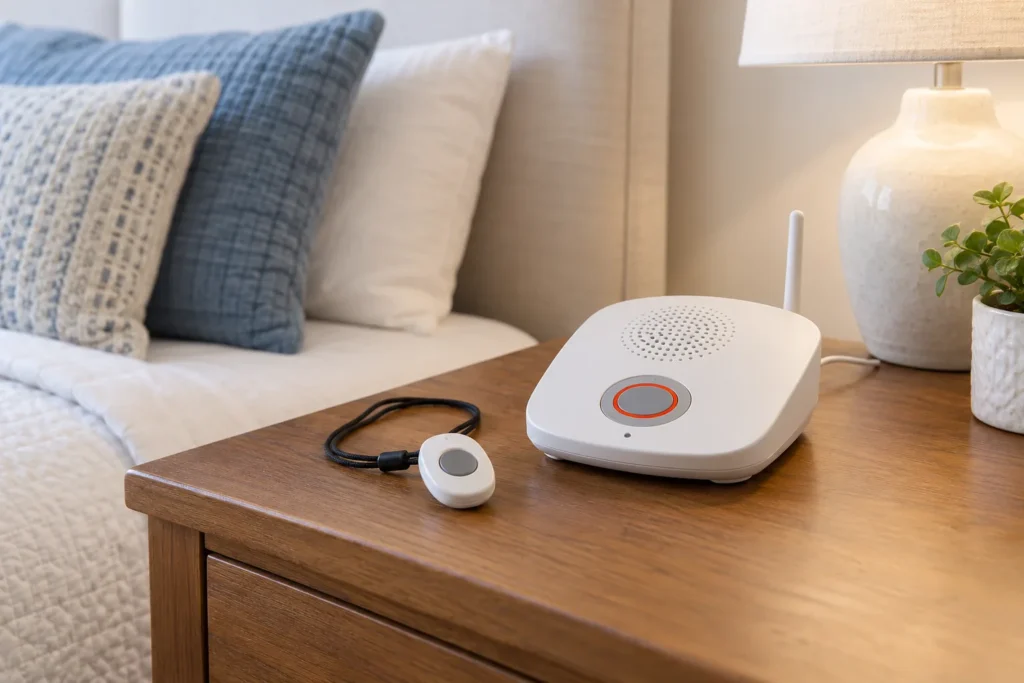
For someone who stays mainly at home, a simple button and suitable home coverage may be a practical fit. Someone who regularly leaves home needs to understand exactly which functions remain available away from the base.
Mobile equipment is not automatically safer in every setting. A device can be convenient outside and still encounter poor coverage inside a particular building. Location may be unavailable or imprecise. Test the places and routines that matter instead of assuming an outdoor coverage claim answers every question.
Can a Medical Alert Watch Serve as a PERS Device?
Yes, a medical alert watch can serve as the wearable device in a suitably configured service. Depending on the exact hardware, firmware and service, it may support a help button, voice communication and optional location or fall-related information.
The watch performs the functions supported by that configuration. A network provider supplies the relevant connection. A monitoring company, care team or agreed contact handles the request according to its responsibilities. Emergency services make their own response decisions. The device manufacturer does not automatically perform those other roles.
For example, a wrist device might report a location and initiate a call. The recipient still needs to receive the information, know whose request it is and follow the agreed procedure. A map coordinate alone cannot establish what assistance is needed or who will provide it.
Likewise, a watch sold with a help button does not necessarily include an active response service. Confirm how it is enrolled, where its requests go and whether the proposed service supports that exact device.
This distinction matters when a family buys equipment separately from its service, or when a care organization supplies devices to participants. Treat compatibility as something the service provider confirms before use.

What Should Users and Service Providers Check Before Choosing a PERS?
For users and caregivers
Begin with a demonstration. Can the person find and press the button while wearing it? Can they hear the speaker if voice is included? Does the strap or pendant suit their routine? For families comparing elderly safety watches, everyday wearability deserves as much attention as the feature list.
Walk through charging and maintenance with the person who will actually handle them. Identify when the device will be off the body and what the arrangement is during that time. A charging routine needs to be realistic for the household.
Ask who answers, during which hours, and what happens if the wearer cannot speak. Confirm how contacts are updated and what the service does when its first contact is unavailable. Follow the provider’s process for a test request; do not assume a practice press is harmless without arranging it.
Check service in the home and other regular locations. Low battery, poor signal, an outage or unavailable location can affect the process. These possibilities call for an understood plan, including how to seek help when the system is unavailable.
For providers and operators
Providers need to establish coverage, service compatibility and response ownership before enrollment. Onboarding should explain activation, device feedback, charging, testing and the limits of any automatic features in language the user understands.
Keep contact details current and define who maintains the device, checks relevant status and supports replacements. Document what happens when a request cannot be delivered, communication breaks down or location information is missing. Testing should reveal those limits and confirm the agreed handling; it does not prove every future alert will succeed.
WearIntell supplies wearable technology; the responsible service organization must establish the response arrangement. Evaluate that arrangement alongside the device so the wearer and everyone expected to help understand their part.