A suspected fall is not yet a completed emergency response. Effective fall detection watch alerts need a defined decision window between the moment the device identifies a fall-like event and the moment an external alert is sent.
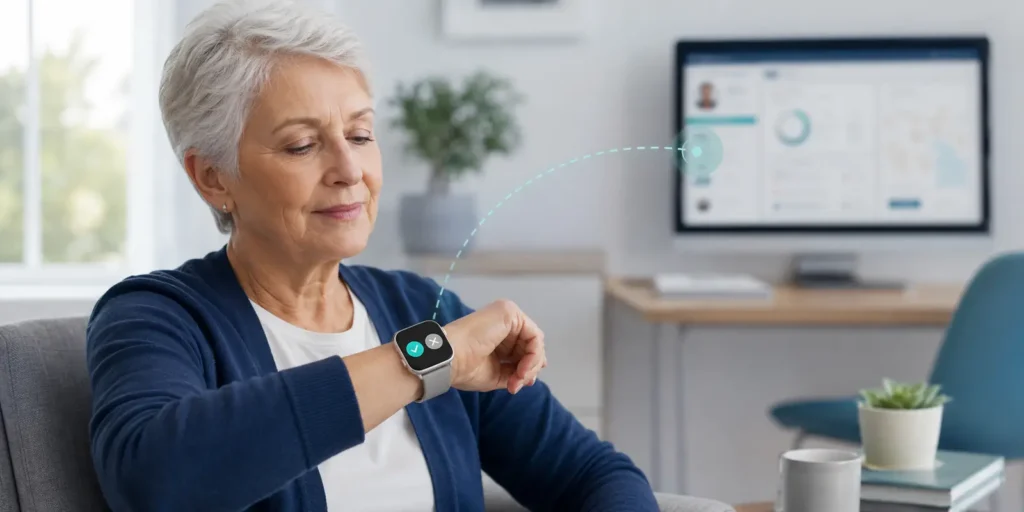
During this window, the wearer may cancel an unnecessary alert, fail to notice the prompt or be unable to respond. The watch and connected platform must then move to the correct next state without hiding what happened.
This guide focuses on fall detection alert confirmation: how the wearer is prompted, how cancellation should work, what no response means and which event states should remain visible to a care team.
What Happens After a Suspected Fall?
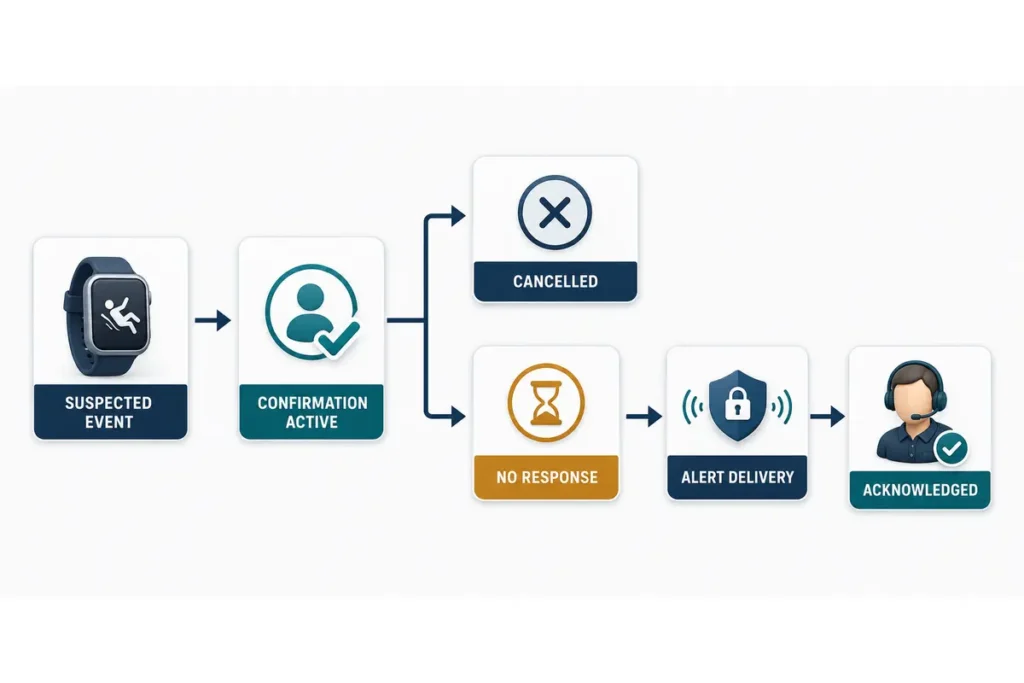
A complete workflow should separate several moments that are often compressed into the single word “alert”:
- The watch identifies movement that meets the configured fall-detection conditions.
- The device starts a wearer-facing confirmation period.
- The wearer cancels the event or provides no valid response.
- The watch or connected service begins the configured alert route.
- The receiving platform records delivery, acknowledgement and final disposition.
Each stage answers a different operational question.
Detection asks whether the device observed a fall-like pattern. Confirmation asks whether the wearer responded to the prompt. Delivery asks whether the event reached its intended destination. Acknowledgement means that a person or authorized service accepted responsibility.
One result should not be inferred from another. A suspected fall does not prove that a fall occurred. An attempted transmission does not prove delivery, and delivery does not prove that a responder has acted.
Readers who need the sensor and algorithm background can first review how fall detection works in a watch. The workflow covered here begins after the device has classified an event as serious enough to prompt the wearer.
Exact prompts, timers and supported actions depend on the selected watch, firmware and platform configuration. Project requirements should therefore describe the required behavior and evidence rather than assume that every model uses the same sequence.
Why Confirmation and Cancellation Are Part of the Safety Design
Automatic detection operates in an imperfect real-world environment. Abrupt sitting, dropping the watch, vigorous arm movement or another routine action may resemble part of a fall pattern.
A confirmation window gives the wearer an opportunity to cancel an unnecessary alert. This can reduce avoidable escalation and alert fatigue for caregivers or monitoring staff.
However, confirmation also creates a trade-off.
A very short window may give some users too little time to understand the prompt and act. A long window may delay escalation when the wearer is injured, confused or unable to respond. An additional touch gesture may reduce false alerts for one group while becoming a failure point for another.
There is no universal countdown that is appropriate for every user population and service model. The timing and interaction should be tested with representative users and the complete downstream response workflow.
Cancellation also needs a precise definition. A valid cancellation should:
- Stop the configured escalation path according to policy
- Tell the wearer that cancellation succeeded
- Record the action and time
- Identify the cancellation source where possible
- Preserve the suspected event for authorized operational review
Cancellation should not silently erase the event. A visible record can help a care program identify repeated cancellations, usability problems or a device configuration that produces too many unwanted prompts.
Design the Confirmation Window Around the Intended Users

Use More Than One Prompt Where Supported
A wearer should not have to rely on one subtle visual cue.
Depending on the selected hardware and firmware, a confirmation prompt may combine:
- A readable screen message
- Vibration
- Sound or voice guidance
- A physical control
- A large on-screen action
The message should explain that a possible fall was detected, show the available action and state what will happen if there is no response.
The interface should account for reduced vision, hearing limitations, limited dexterity and unfamiliarity with touchscreens. Large controls, strong contrast and direct wording may be more usable than a small button or a complex gesture.
The platform should not record that a cue was perceived merely because the watch attempted to display, play or vibrate it.
Make Cancellation Deliberate but Achievable
The cancellation action should be difficult to trigger accidentally but practical for the intended wearer to complete under stress.
Depending on the approved configuration, cancellation may use a physical button, an on-screen control or another explicit input. The watch should confirm the result with a visible message, sound or vibration.
Programs should also define whether cancellation remains possible after transmission begins. If the wearer cancels at that point, the platform may need to receive an updated status rather than treating the original event as if it never existed.
Treat No Response as a Defined State
No response is not confirmation that a fall occurred. It is also not proof that the wearer saw or heard the prompt.
It means only that the system did not receive a valid action within the configured period.
The next step should occur automatically according to the approved policy. Depending on the system, that may include transmitting an event, requesting available location information, opening a voice route or notifying a connected platform.
The event record should show that escalation started because no response was received. It should not claim that the wearer confirmed a fall.
Configure Timing as Part of the Workflow
Where supported, countdown timing should be treated as a controlled project parameter.
The decision should consider:
- User comprehension
- Motor ability
- Prompt visibility and intensity
- Cancellation method
- Expected wearing environment
- Network setup
- Downstream response requirements
- Supported firmware range
Testing only the timer is not enough. Teams should validate the complete sequence from the suspected event through cancellation, escalation, delivery and acknowledgement.
A shared state model prevents the watch, app and monitoring team from giving different accounts of the same incident.
The final labels should match the approved integration specification, but a practical model can include the following states:
| Event state | What triggers it | Visible status and next action | Minimum record |
| Suspected | Configured logic identifies a fall-like event | Start the wearer prompt without presenting the event as confirmed | Event ID, device ID and detection time |
| Confirmation active | The prompt begins | Show the remaining time and available actions | Prompt start time and supported cue status |
| Cancelled by wearer | A valid cancellation action is received | Stop escalation according to policy and confirm cancellation | Action, time and cancellation source |
| Escalated after no response | The confirmation period ends without valid input | Begin the configured alert route | Timeout and escalation destination |
| Delivered | The platform or destination confirms receipt | Continue the response workflow | Delivery time, channel and destination |
| Acknowledged | A caregiver, operator or authorized service accepts the event | Assign ownership and record the next action | Acknowledgement time and owner |
| Closed or unresolved | The event is completed, cancelled by policy or cannot proceed | Show the final disposition and surface unresolved events | Closure reason, actor and final time |
A connected fall detection watch solution should be evaluated against this wider state model rather than only against the presence of an on-watch countdown.
Handle Exception Paths Before Deployment
A workflow that shows only “fall detected → alert sent → help arrives” is not ready for deployment. Failure and exception paths should be defined beside the successful route.
The Wearer Does Not Respond
When the confirmation period ends, the system should record that no valid input was received and advance automatically to the next configured state.
Manual SOS should remain available wherever the approved device state permits it. Automatic detection may not trigger for every event, and the wearer may need help for a reason unrelated to a fall.
The Screen Is Unreadable or Inaccessible
Where supported, vibration, sound and a physical input can reduce dependence on the display.
Testing should include glare, low vision, hearing limitations, limited dexterity and a watch worn under clothing or bedding. The system should record “no input received” rather than assume that the wearer deliberately ignored the prompt.
The watch needs a defined state for transmission pending, retrying or failed.
A cancellation or no-response decision may occur while connectivity is unavailable. The device should preserve the event information required by the approved design. When connectivity returns, the platform must know whether the delayed message remains actionable or should be retained only as a historical record.
Battery Is Low or Events Repeat
Low power may affect prompts, positioning, voice and transmission differently. The workflow should define which functions remain available and which warnings appear to the wearer or platform.
Repeated suspected events also need a policy. Suppressing every new trigger may hide a real incident, while restarting the entire sequence each time may confuse the wearer or create duplicate alerts.
Alert Delivery Fails
A transmission attempt is not proof of delivery.
If the destination does not confirm receipt, the event should move to a visible retry or failure state. The project should define retry ownership, fallback destination and how unresolved events are shown to operations staff.
What Care Programs Should Specify
Before implementation, the program owner should convert the intended behavior into testable requirements.
At minimum, document:
- Prompt channels supported by the selected device
- Approved wording and available languages
- Cancellation actions and when they remain available
- How the wearer knows that cancellation succeeded
- Confirmation-period behavior and supported timing range
- What happens when the timer expires
- Escalation destinations and sequence
- Separate statuses for attempted, delivered, acknowledged, closed and unresolved events
- Event identifiers and timestamps
- Cancellation reason and source
- Final disposition and responsible owner
- Manual SOS behavior during relevant states
- Handling for connectivity loss, low battery, repeated triggers and failed delivery
These requirements should be confirmed against the final hardware, firmware, connectivity and platform combination.
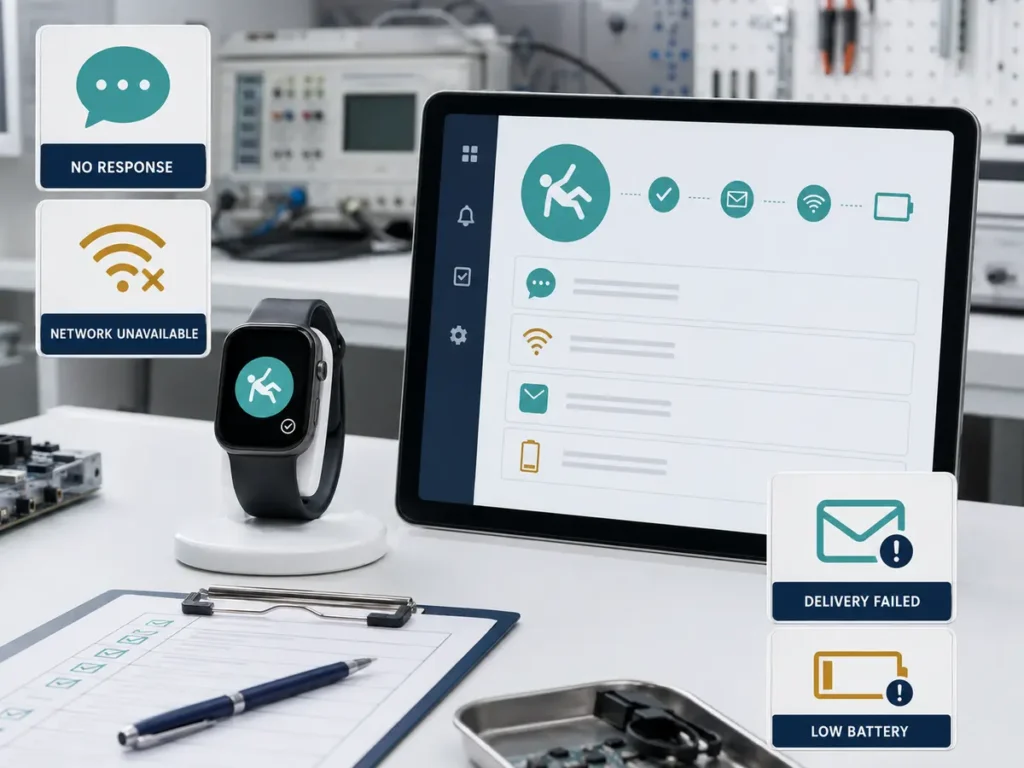
Test the Workflow as a Sequence
Acceptance testing should verify state transitions, not only whether the confirmation screen appears.
For each test case, record:
- Starting state
- Wearer action or timeout
- Watch response
- Transmission result
- Platform status
- Expected next action
- Responsible owner
- Final disposition
The test plan should include:
- Successful cancellation
- Cancellation close to timeout
- No response
- Unavailable prompt or damaged screen
- Delayed connectivity
- Failed first delivery attempt
- Low-battery conditions
- Repeated suspected events
- Manual SOS during relevant states
- Voice or location failure where those functions are included
The watch and connected platform should agree on the event identifier and the transition times available in the approved integration.
Representative-user testing is also important. A technically correct control may still fail if the message is unclear, the vibration is not noticed or the cancellation gesture is difficult.
Configure the Workflow Around the Service Model
A family-notification service may need a different confirmation workflow from a professional monitoring center.
The receiving party, communication channel, location requirement, staffing model and event-closing authority all affect what the watch and platform must show.
WearIntell can review configurable alert logic, wearer prompts, manual SOS behavior and platform integration according to project requirements. Supported controls, timing ranges and status fields must be confirmed for the selected product configuration.
Conclusion
Reliable fall detection alert confirmation depends on clear states, accessible prompts and a defined no-response path.
The workflow should reduce avoidable escalation without hiding suspected events or treating silence as proof that a fall occurred. The watch and connected platform must agree on what was detected, how the wearer responded, whether the event was delivered and who accepted responsibility.
Care programs should define these requirements before deployment and test the complete sequence under realistic user, network and device conditions.
FAQs
How long should a fall alert confirmation countdown last?
There is no universal countdown that fits every deployment. The timing should reflect the intended users, prompt design, cancellation method, service model and downstream response path. It must also remain within the range supported by the selected device and firmware.
Can a wearer cancel an automatic fall alert?
A watch can support wearer cancellation when the function is included in the approved configuration. The action may use a physical control, on-screen input or another supported method. The workflow should confirm cancellation to the wearer and record the state change.
Does confirmation eliminate false fall alerts?
No. Confirmation may reduce some unnecessary escalations when the wearer can recognize and cancel a suspected event, but it cannot eliminate every false alert. It can also create delay or usability problems if poorly designed.
What happens when the wearer does not respond?
The device should move automatically to the next configured state. That may include transmitting an alert, requesting location, opening a voice route or notifying a connected platform. The record should show that escalation occurred because no valid response was received.