
GPS watch accuracy cannot be represented by one universal distance. Results change with the environment, satellite visibility, positioning method, movement, antenna design, firmware, reporting interval and network path. A business evaluating GPS tracking and personal safety wearables therefore needs a repeatable test across its intended operating conditions, not a single demonstration point. The test must also separate three different questions: how close a reported position is to the reference, whether a position is available at all and whether the displayed position is current enough for the service workflow. A precise but old coordinate can be more misleading than an explicit unavailable state.
Define What GPS Watch Accuracy Means for the Project
Write measurable terms before testing. “Accurate location” is too vague for a pass decision. A useful plan distinguishes:
- Positional error: the distance between the reported position and a defensible reference position.
- Availability: whether the watch can produce or return a location in the scenario.
- Time to first usable position: how long the defined workflow takes to obtain a result after the relevant start condition.
- Freshness: the age of the position when a user or platform receives it.
- Continuity: whether useful positions continue through movement and environmental transitions.
- Positioning source: GNSS, Wi-Fi-assisted, cellular or another supported method used for the result.
- Failure presentation: whether the interface shows a stale, pending or unavailable state instead of presenting old data as current.
Define a reference method appropriate to each environment. Outdoors, that might be a surveyed point or a suitably accurate reference receiver. Indoors, a verified floor-plan position and recorded test point may be more practical. Record the limitations of the reference itself; a comparison cannot be more reliable than the benchmark used.
Identify Which Positioning Method Produced the Result
Many products described as GPS watches use more than satellite positioning. GNSS may provide outdoor coordinates, while Wi-Fi or cellular network information may support a result where satellite visibility is limited. Some projects may integrate a separate indoor positioning method. Availability, error pattern and update behaviour differ between these sources.
The test team should know which methods the exact watch and platform support and how they are prioritized. Where the system exposes a source field, capture it for each result. If the source is not visible, record that limitation and avoid attributing every coordinate to GPS. A map pin alone does not reveal whether it came from current GNSS data, an assisted estimate or a previous position.
Also define how the device requests and sends a location. Scheduled reports, wearer events, platform requests and emergency workflows may use different intervals or acquisition rules. Test the path that the deployed service will actually use.
Build a Representative Location Test Matrix
Select environments from the intended service area rather than choosing only locations in which satellite reception is easy. The matrix should include, where relevant:
- open outdoor space;
- residential streets and mixed low-rise areas;
- streets near tall buildings or other signal obstructions;
- indoor rooms, corridors and interior areas;
- building perimeters and window-adjacent positions;
- transitions between indoor and outdoor environments;
- stationary periods and walking routes; and
- known weak-coverage or network-transition areas that can be tested safely.
For every run, record the device model, hardware revision, firmware, SIM and operator; requested positioning method or event; environment; reference coordinates or test point; reported coordinates; device, server and display timestamps; declared source where available; wearer movement; and observed result. Use more than one unit and repeat key scenarios at different times. Keep the approved configuration stable so that comparisons are meaningful.
Test normal cases before adverse ones. This confirms the basic setup and gives the team a baseline. It also prevents configuration mistakes from being misclassified as poor location performance.
Measure Outdoor Static Accuracy
Begin at defined outdoor reference points with a clear view of the sky, then add representative obstructed locations. Place or wear the watch as intended; do not optimize its orientation differently from normal use. Define the starting condition, such as a cold start, restart, recent prior fix or scheduled report, because it can affect acquisition behaviour.
At each point, capture multiple results and their timestamps. Calculate positional error against the reference, but retain the individual observations rather than reporting only the best point or an overall average. A range, distribution and failure count reveal variation that one favorable result can hide.
Note satellite obstruction, nearby buildings, trees, body position, weather only where relevant, and whether the watch was stationary throughout the acquisition. If the platform smooths or filters positions, preserve the raw device or event data where the system makes it available. Do not set a universal metre threshold without evidence from the intended use, risk assessment and product configuration.

Test Indoor and Assisted Positioning
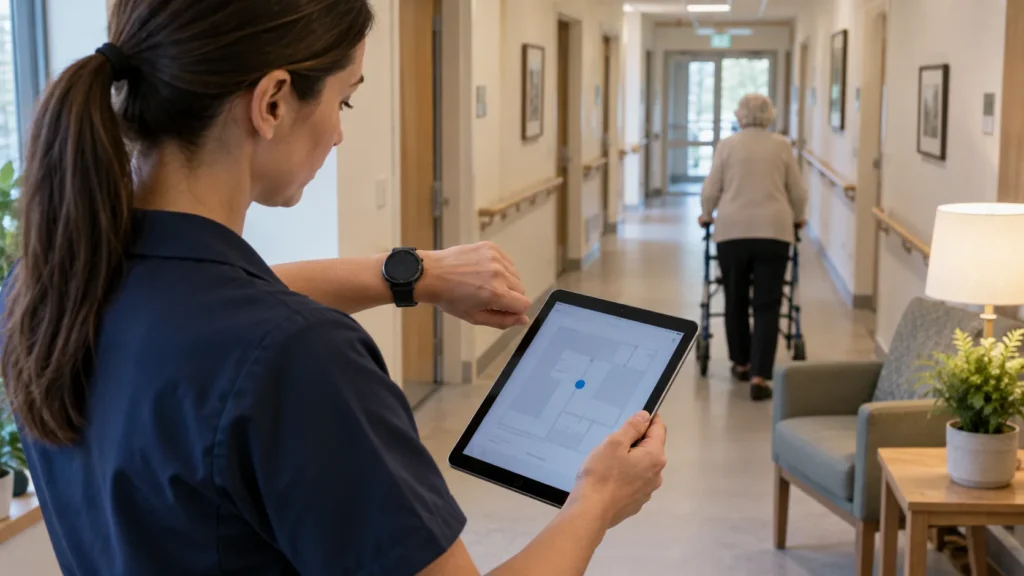
Indoor testing should not assume that satellite GPS will remain available or meet outdoor performance. Instead, observe what the complete system does when GNSS is limited. Does it use a supported alternative source? Can the platform identify that source? Is the result approximate? Does it continue to show an older outdoor position, and if so, is the age obvious?
Use recorded points in rooms, corridors, near windows and deeper inside representative buildings. Start some tests outdoors and move inside; start others indoors without a recent outdoor fix. These are different conditions and may produce different behaviour. Repeat the request after waiting periods that reflect the service workflow.
For a use case such as GPS tracker watches for dementia patients, location information may be reviewed during both routine and urgent events. The test must show what a responder sees when a fresh indoor location is unavailable, not imply that every map pin has the same accuracy or source.
Test Location Performance During Movement
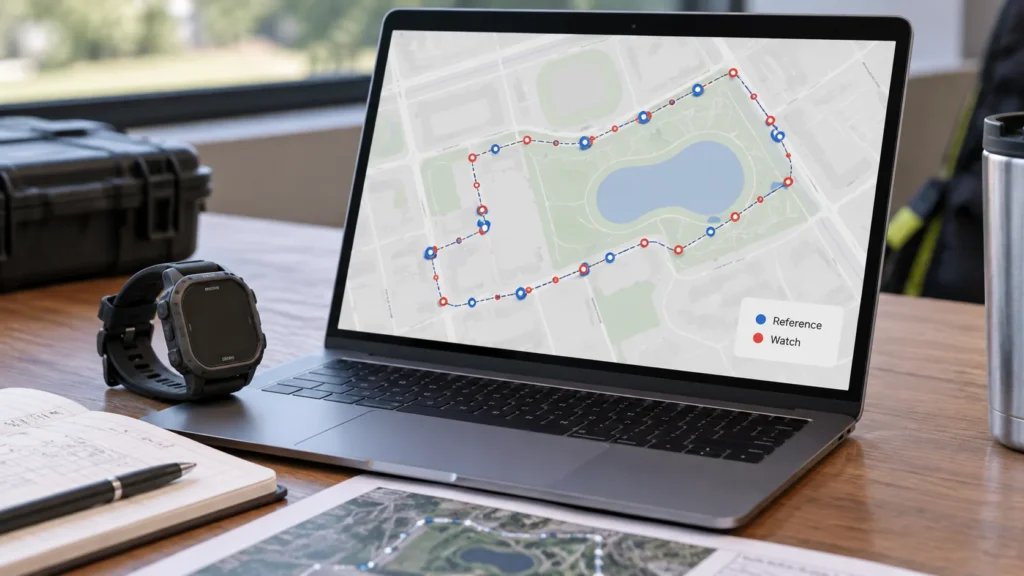
A static point test cannot show route continuity. Define a walking route with known turns, stops, open sections, obstructions and indoor-outdoor transitions. Record an independent reference track or checkpoints appropriate to the required level of evaluation.
Compare the watch results with time as well as position. Look for delayed starts, corner cutting, points that arrive out of sequence, long gaps, jumps to implausible locations and positions that continue after movement stops. Check whether tracking resumes after a gap and whether the interface distinguishes an estimated path from actual reports.
A smooth line on a map is not proof of accuracy. The platform may interpolate between sparse updates or visually smooth noisy data. Review the underlying timestamps and points before judging route performance. If an SOS smartwatch sends a location with an alert, test that event path specifically; routine tracking behaviour does not prove that the alert workflow returns the same source or freshness.

Location failures are also interface and workflow tests. Define how the watch and platform represent:
- a current position;
- the last known position and its age;
- a request still in progress;
- a result delayed in transmission; and
- a position that cannot be obtained.
Create controlled cases by limiting satellite visibility, using an approved network-loss test method or observing a known transition. Compare the acquisition time, device timestamp, server receipt time and user-interface time. This separates a slow position fix from a network delay or a display that has not refreshed.
Confirm that an old coordinate is not silently presented as current. Where the platform supports age indicators or source labels, verify them against the underlying record. Where it does not, document the operational risk and define what the response team may safely infer. Do not invent a fresh location when the service only has a last-known result.
Evaluate Reporting Frequency, Network and Battery Together
Location acquisition and transmission are connected but separate. A watch may obtain a position and then be unable to deliver it, or it may send an assisted result without a fresh satellite fix. Scheduled reporting intervals, event-triggered requests, network availability and retry behaviour all affect what the platform receives.
More frequent requests do not automatically make every position more accurate. They can change data use, radio activity and battery demand, while the outcome still depends on the environment and source. Test the reporting profile intended for deployment rather than using an aggressive engineering mode that will not be maintained in service.
Battery implications should be measured in a separate, controlled program using the actual reporting and communication profile. The medical alert watch battery life planning process can help teams define those operating assumptions without turning the location test into an unsupported runtime claim.
Set Scenario-Based Acceptance Criteria
A useful acceptance plan defines performance by scenario instead of demanding one number everywhere. For each environment and workflow, specify:
- the devices, firmware, SIM, operator and platform version under test;
- the positioning sources that may be used and whether they must be visible;
- how availability, positional error, freshness and continuity will be measured;
- the required reference method and evidence fields;
- how stale, delayed and unavailable results must be displayed;
- allowable exceptions and the operational action for each one;
- sample size, repetitions and representative participants; and
- regression and retest rules after hardware, antenna, firmware or platform changes.
Report results per scenario, including failures and variability. An outdoor average should not conceal poor indoor availability, and a fresh assisted location should not be described as satellite accuracy. Any conditional acceptance should identify the limitation, owner, mitigation and next review.
Test the Location Service, Not Just the Map Pin
The better question is not “How accurate is this GPS watch?” It is “How does this exact device and service report location across the environments, positioning methods and reporting intervals that matter to the program?” A repeatable plan makes accuracy, availability and freshness visible as separate results and shows responders what they can safely act on.
WearIntell can discuss the target environments, workflows, positioning methods, reporting assumptions and pilot acceptance inputs for a GPS safety watch project. Bring representative use cases and expected failure handling to the review. The goal is a configuration-specific test plan with traceable evidence, not a universal distance claim that cannot represent every building, route, operator or wearer.